
Asynchronous or non-blocking programming is an important part of the development landscape. It is important that any application we create is fluid and scalable when needed.
Kotlin solves this problem in a flexible way by providing coroutine support at the language level and delegating most of the functionality to libraries.
What is a Coroutine?
A coroutine is an instance of a suspendable computation. It is a concurrency design pattern that helps asynchronous programming more effectively.
Just like threads, coroutines provide a way to perform long-running tasks, such as network calls or database operations, without blocking the main thread. They take a block of code and run it concurrently with the rest of the code. However, a coroutine is not bound to any particular thread. It may suspend it’s execution in one thread and resume in another one.
How is Coroutine different from Thread
Both coroutines and threads are concurrency mechanisms in programming, but they have significant differences in terms of how they work and their intended use cases. Let’s see a few of them:
- Concurrency vs Parallelism
- Threads are typically associated with parallelism, where multiple threads run simultaneously on multiple CPU cores. Each thread is a separate unit of execution that is multiple tasks are making progress at the same point of time (parrallely).
- Coroutines, on the other hand, are designed for concurrency. Multiple tasks are making progress at the same time (concurrently) but if the system has only one CPU, only one task will make progress at a given point of time.
- Resource Consumption
- Threads are heavy in resource consumption. Creating and managing threads can be resource-intensive, and having too many threads can lead to high memory and CPU usage.
- Coroutines are light weight as they are managed by a coroutine dispatcher, which can be a single thread. Many coroutines can be launched on a single thread without consuming much memory as all coroutines will use the same thread turn by turn to perform their operations.
Let’s see this with the help of an example
If we have to perform large number of background operations, using coroutines for the same will consume very little memory as compared to threads.
- Synchronisation and Data sharing
- Threads share memory space and require synchronisation mechanisms like locks, mutexes and semaphores to avoid data races and ensure thread safety.
- Coroutines do not share memory by default, which makes them safer for concurrent programming. Data can be shared between coroutines using structured concurrency and channels, which simplifies synchronisation.
- Cancellation
- Stopping or cancelling threads can be challenging and may lead to resource leaks.
- Coroutines can be cancelled gracefully, releasing resources and cleaning up after themselves.
- Blocking vs Non-blocking
- Threads can block, causing the entire thread to pause while waiting for I/O or other operations to complete.
- Coroutines are non-blocking by default, allowing other coroutines to continue running while one coroutine is waiting for I/O or other operations.
- Error Handling
- Handling errors in Threads can be challenging and unhandled exceptions can crash the application
- Coroutines have built-in structured error handling using try-catch blocks, make it easier to handle errors gracefully.
In summary, coroutines are a higher-level concurrency abstraction designed for asynchronous and concurrent programming with a focus on simplicity, safety, and efficiency. Threads, on the other hand, are a lower-level construct often associated with parallelism and require explicit management of resources, synchronisation, and error handling.
Writing our first coroutine
Kotlin provides only minimal low-level APIs in its standard library (kotlin-stblib) to enable other libraries to utilise coroutines.
Note: When you add the Kotlin plugin, kotlin-stlblib is added by default in any Kotlin Gradle project, including a multi-platform one. The standard library will be the same version as the Kotlin gradle plugin.
To bridge the non-coroutine world of a regular function and the code with coroutines, Kotlin provides us with a coroutine builder named runBlocking { .. }
runBlocking is a function, provided by Kotlin in it’s standard library, specially tailored to help bridge between synchronous and asynchronous code. It creates a new coroutine and blocks the current thread until it’s execution is complete.
However, for more complex asynchronous operations and coroutine handling in Android, the kotlinx.coroutines library is used.
Let’s write our first coroutine now using runBlocking function
fun main() = runBlocking {
    launch {
        delay(1000)
        println("World!")
    }
    println("Hello")
}
You will see the output as:
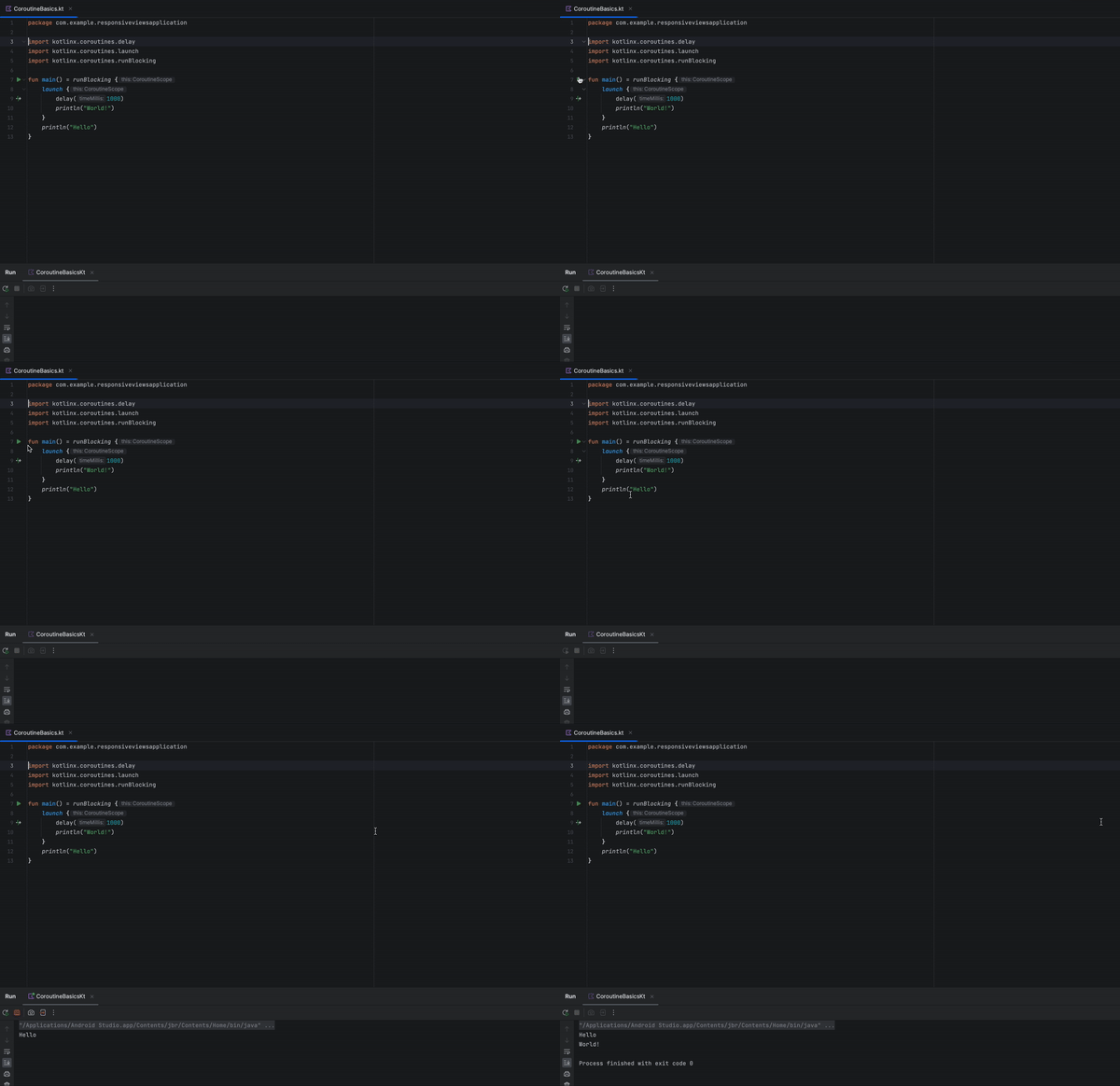
Let’s see what each statement in this code means:
launchis a coroutine builder. It launches a new coroutine concurrently with the rest of the code, which continues to work independently. That’s why Hello has been printed first.delayis a special suspending function. It suspends the coroutine for a specific time. Suspending a coroutine does not block the underlying thread, but allows other coroutines to run and use the underlying thread for their code.- If we don’t use
runBlockingin this code, we will get an error on the launch call aslaunchis declared only on the coroutine scope.
Structured Concurrency
In the above example, main function ( or the runBlocking block) exits only when the inner coroutine (launch block) completes. In other words, it waits until “World!” is printed. This happens because of structured concurrency.
Structured concurrency is a principle followed by coroutines that aims to organise concurrent tasks in a structured manner, improving their management and lifecycle.
Structured concurrency revolve around the idea of creating and organising coroutines within a well-defined hierarchy ensuring that child coroutines are scoped and managed by their parent coroutine. This approach helps in handling the lifecycle of concurrent tasks more effectively by enforcing certain rules:
- Parent-Child Relationship: Child coroutines are created within the scope of a parent coroutine.
- Lifecycle Dependency: The lifecycle of a child coroutine is tied to it’s parent coroutine. When a parent coroutine is cancelled or completed, it ensures that all it’s child coroutines are also cancelled or completed, preventing any dangling coroutines.
- Scope and Structured Handling: Structured concurrency provides a clear scope for concurrent tasks, making it easier to reason about their execution and manage their lifecycle.
This concept promotes cleaner, more maintainable code, making it easier to understand, test and maintain.
Suspend Function
Let’s extract the block of code inside launch { .. } into a separate function by clicking Command + Option + M.
When you do the same, you will notice that the extracted function has a suspend modifier. What is this suspend function?? 🤔
Suspending functions can be used inside coroutines just like regular functions, but their additional feature is that they can, in turn, use another suspend functions ( like delay in the above example)
fun main() = runBlocking {
    launch {
        extracted()
    }
    println("Hello")
}

private suspend fun extracted() {
    delay(1000)
    println("World!")
}
I’ll go in more details about suspend function in the future blogs.
Scope Builder
runBlocking and launch are pre-defined builders which provide us with coroutine scope. We can create our own scope as well using coroutineScope builder. It creates a coroutine scope and does not complete until all launched children complete.
fun main() = runBlocking {
    doWorld()
}

private suspend fun doWorld() = coroutineScope {
    launch {
        extracted()
    }
    println("Hello")
}

private suspend fun extracted() {
    delay(1000)
    println("World!")
}
runBlocking and coroutineScope builders may look similar because they both wait for their body and all it’s children to complete but there is one main difference that runBlocking builder blocks the current thread for waiting, while coroutineScope just suspends, releasing the underlying thread for other usages. Because of this difference, runBlocking is a regular function and coroutineScope is a suspending function.
Scope builder and concurrency
A coroutineScope builder can be used inside any suspend function to perform multiple concurrent operations. Let’s see what happens when we launch two concurrent coroutines inside a suspend function.
fun main() = runBlocking {
    doWorld()
    println("Done")
}

private suspend fun doWorld() = coroutineScope {
    launch {
        print2()
    }
    launch {
        print1()
    }
    println("Hello")
}

private suspend fun print1() {
    delay(1000)
    println("World 1")
}

private suspend fun print2() {
    delay(2000)
    println("World 2")
}
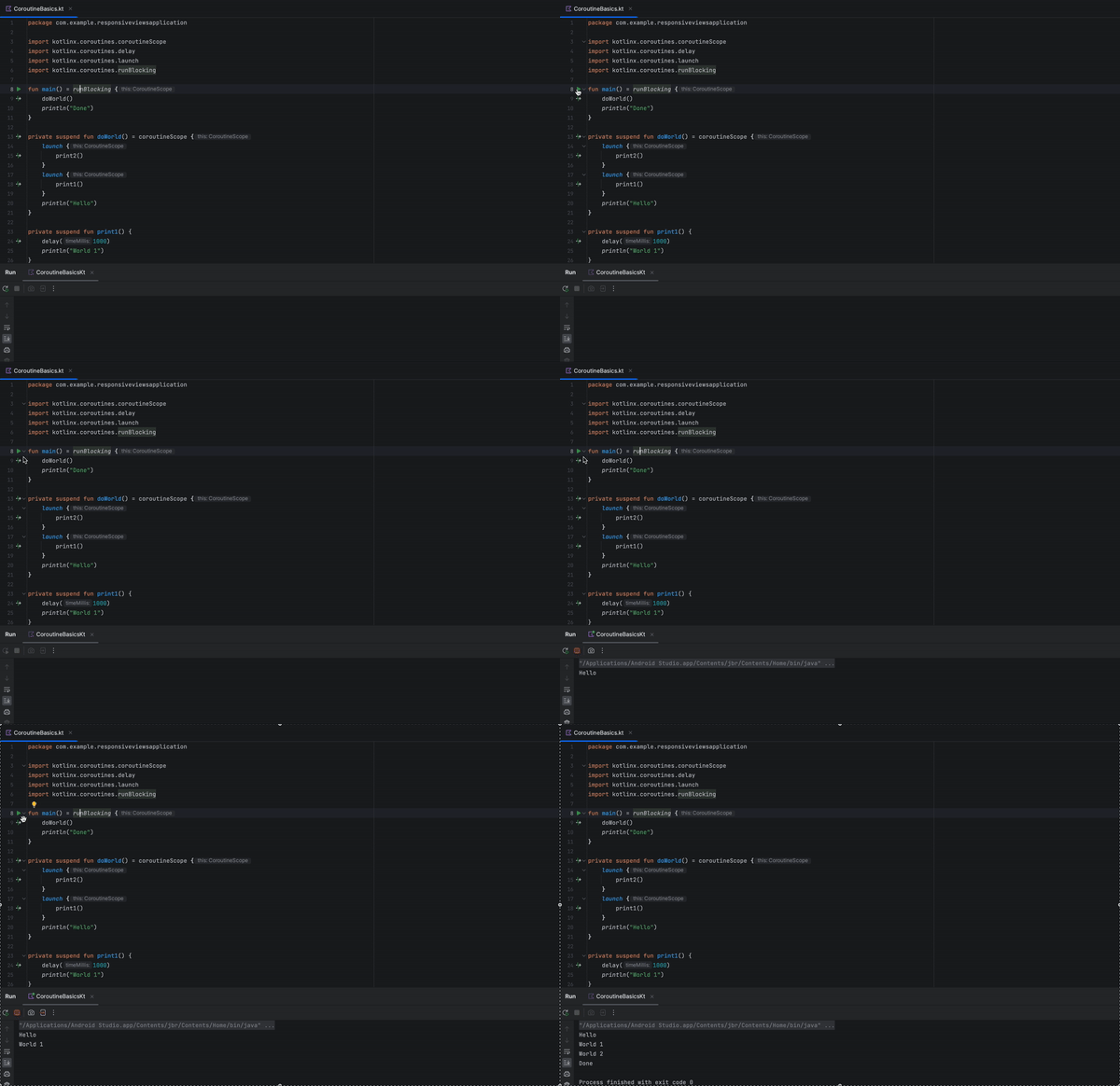
Points to be noted here:
- Both pieces of code inside
launch { .. }blocks execute concurrently. coroutineScopecompletes only after bothlaunchblocks are completed anddoWorldfunction returns and allowsDonestring to be printed.
Explicit Job
A launch coroutine builder returns a Job object that is a handle to the launched coroutine and can be used to explicitly wait for it’s completion.
fun main() = runBlocking {
    val job = launch {
        delay(2000)
        println("World !")
    }
    println("Hello")
    job.join()
    println("Done")
}
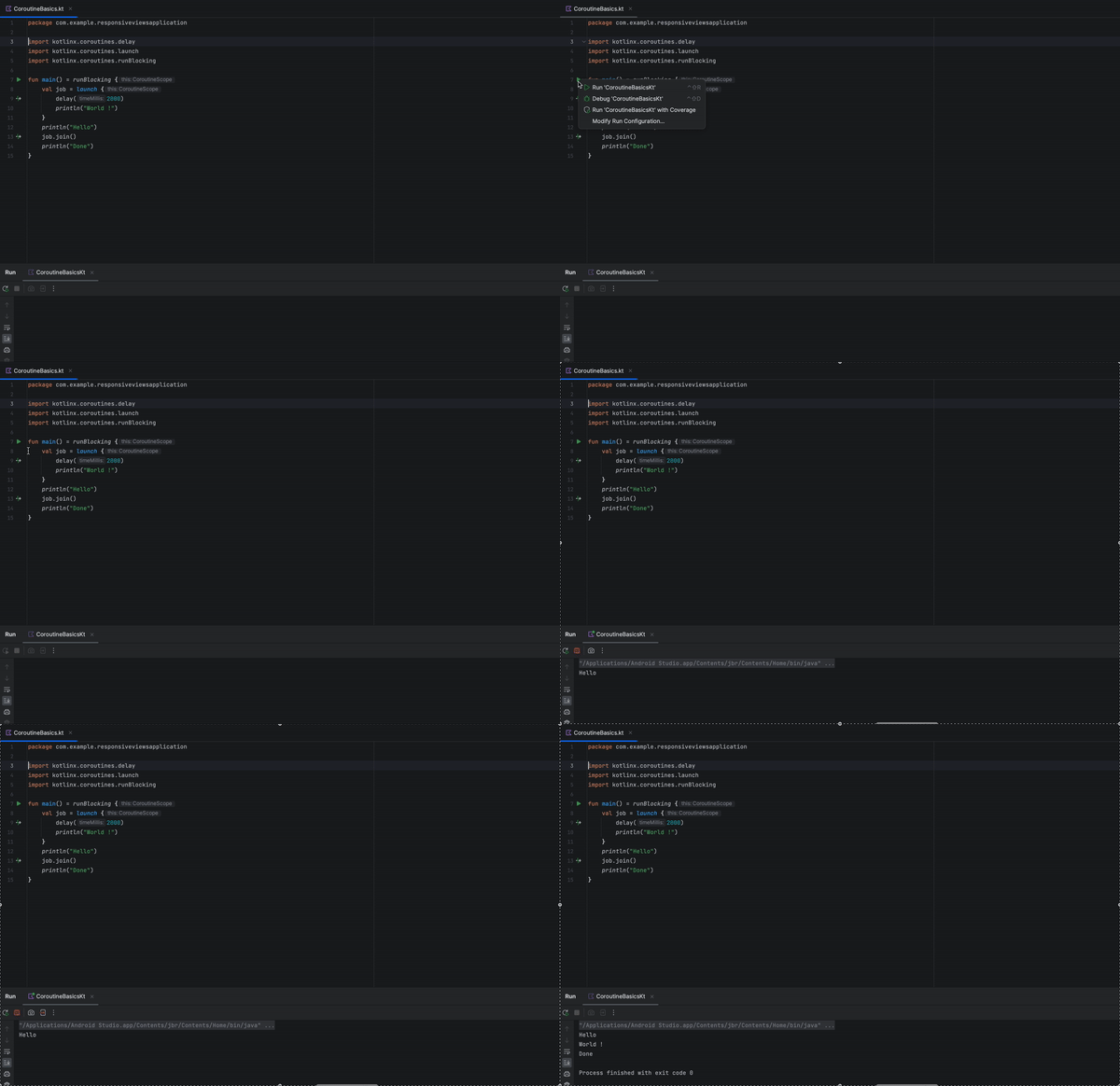
Here’s how the output looks like:
That’s it for this article. Hope it was helpful! If you like it, please hit like.
 Tanya Tech Zone