
In this article, we will understand what are the ways of defining a variable in Kotlin and how does Kotlin helps us with defining these variables of different data types.
Kotlin Variables
There are two main keywords in Kotlin to define a variable: val and var.
Read only variables are defined using the keyword val . They can be assigned a value only once. Variables that can be reassigned use the var keyword.
val a = 2
a+=2 // Will give an error, "val cannot be reassigned"

var b = 2
b+=2 // Works perfectly fine
If a var is never changed, Intellij will suggest that you change it to val. To apply the suggestion, click on the var keyword and press Option+Return(Alt+Enter).
Note: It is recommended that you use a val any time you can, so that Kotlin can warn you about accidental reassignments.

So let me ask you a question now, is it possible to modify an object stored in val ? Many of you might say No because that’s what I explained above.
Actually, that’s not correct. The answer to the above question is Yes. Let’s see how?
If we’re talking about reference types, in Kotlin as in Java, variables just refer to some objects stored in memory. And this question can be reworded as: Does ‘val’ put any additional constraints on the stored object?
Of course, there are no additional constraints. You can easily modify an object stored in val, as in Java.
val, like a ‘final’ variable, is an immutable reference which doesn’t say anything about the content that is stored.
For example, here we have a reference to a mutable list, ‘languages’ which refers to an object in memory. We can modify this object by accessing the modification method. We can’t assign another reference to the ‘languages’ variable, but we can easily modify the exact object.

Java Primitive Types in Kotlin
In Java, there are two kinds of types: Reference types and Primitive types. Reference types (eg. Integer) are defined in the source code whereas primitive types (often called “primitives”, eg. int) have no source file definition and are represented by special keywords instead.
All primitives in Java have a corresponding reference types but not all reference types have a corresponding primitive type.
One reason for choosing a reference type is that there are certain features of the Java language that are only available when using reference types. For example, Generics. On the other hand, primitive types offer better performance.
Unlike Java, Kotlin provides only one kind of type: Reference types.
“But primitive types offer better performance that reference types” so why did they do so??
If you open the decompiled bytecode of a Kotlin file using any reference type, you will see a primitive type was used in place of the reference type. The Kotlin compiler will, wherever possible, use primitives in the Java bytecode, because they do indeed offer better performance.
Kotlin gives you the ease of reference types with the performance of primitives under the hood.
Type Checking
Kotlin is a statically typed language: it means every variable, every expression has a type. Type Checking is feature provided by Kotlin that prevents the assignment of the wrong kind of data to a variable or constant.
The compiler labels the source code you define with types so that it can ensure the code you wrote is valid. Intellij also checks code as you type it and notices when an instance of a particular type is incorrectly assigned to a variable of a different type. This feature is called Static Type Checking.
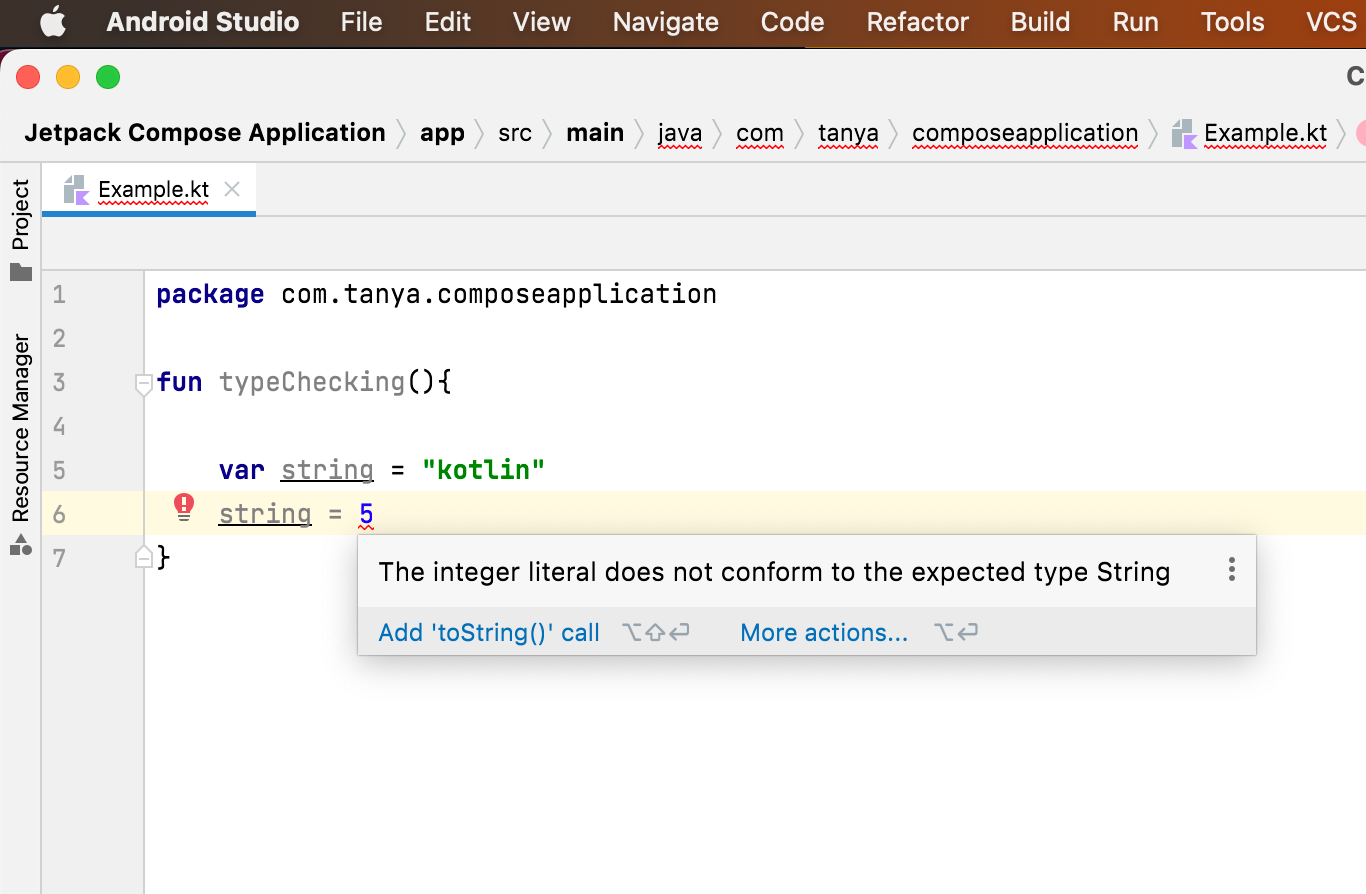
Type Inference
It allows you to omit the type definition for variables that are assigned a value when they are declared. Grayed-out text indicates an element that is not required.
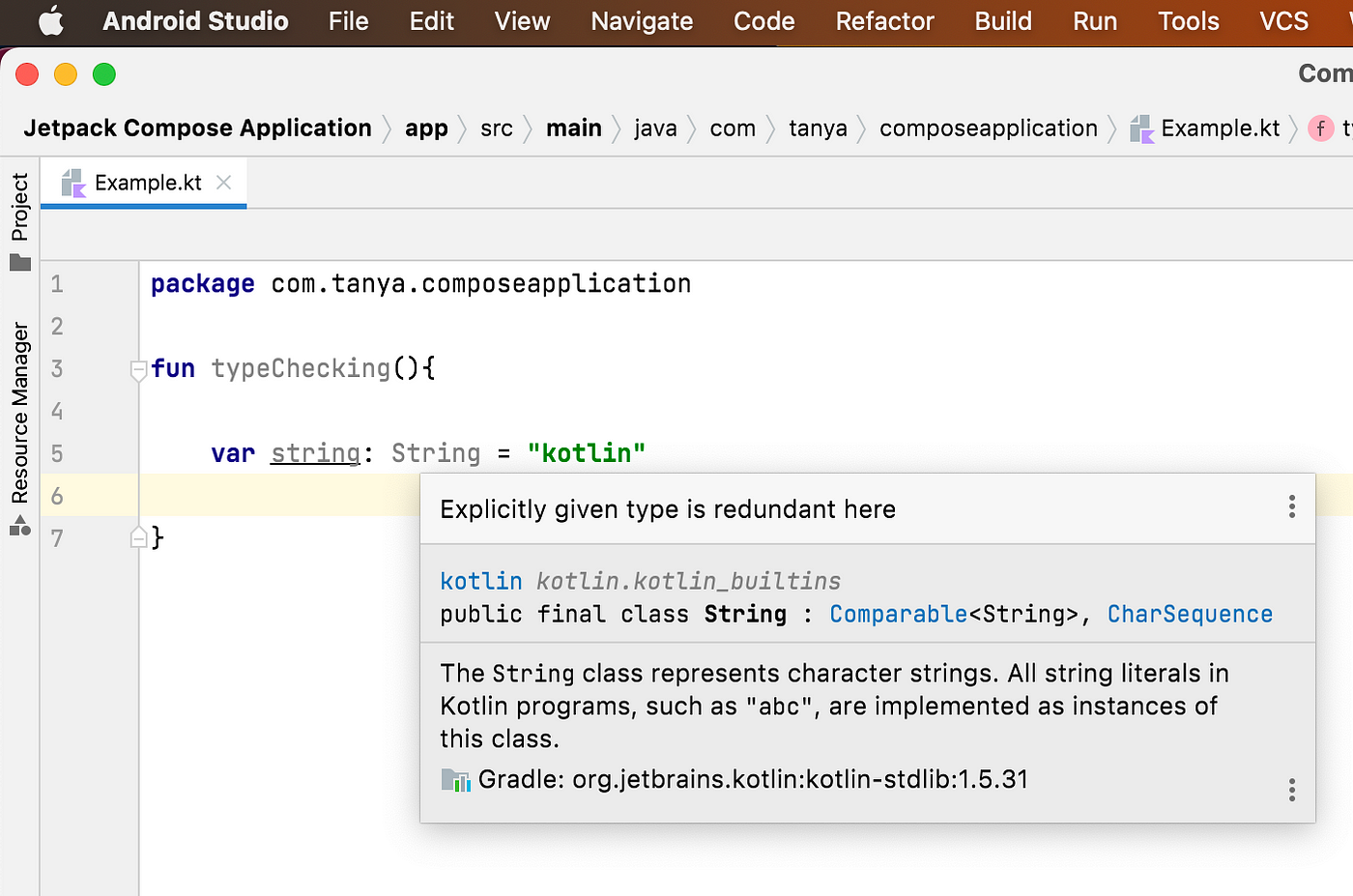
Note: Intellij will display the type of any variable on request, including those that use type inference. Click on a variable name and press Control+Shift+P to know the type of any variable.
Compile-Time constants
A compile-time constant must be defined outside of any function, including main, because its value must be assigned at compile time — hence the name. main and other functions are called during runtime and the variables within them are assigned their values then. A compile-time constant exists before any of these assignments take place.
The Kotlin REPL
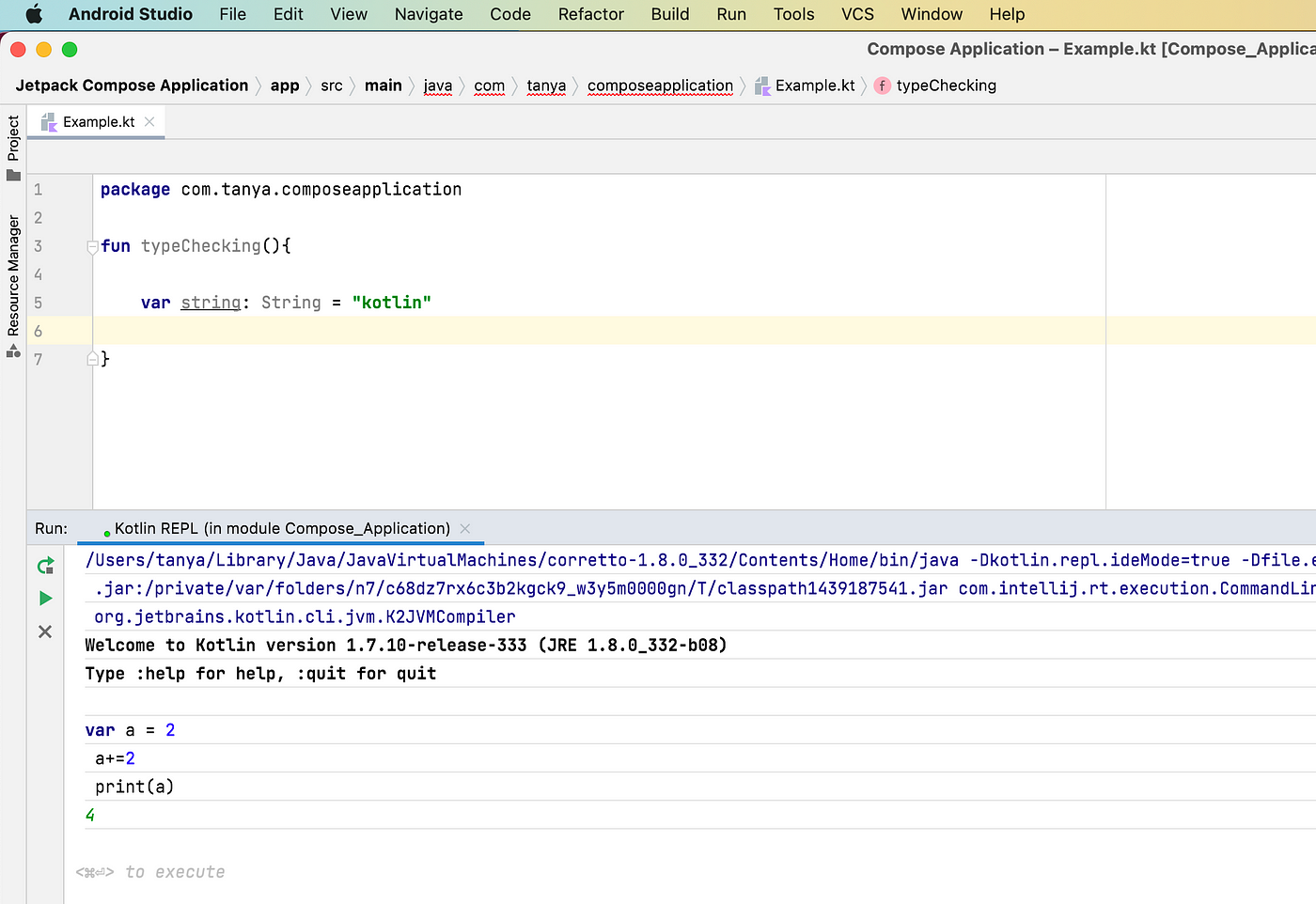
Kotlin REPL (REPL is short for Read, Evaluate, Print and Loop) is a tool that Intellij provides for quickly testing code without having to create a file. You can open the REPL window by selecting Tools -> Kotlin -> Kotlin REPL
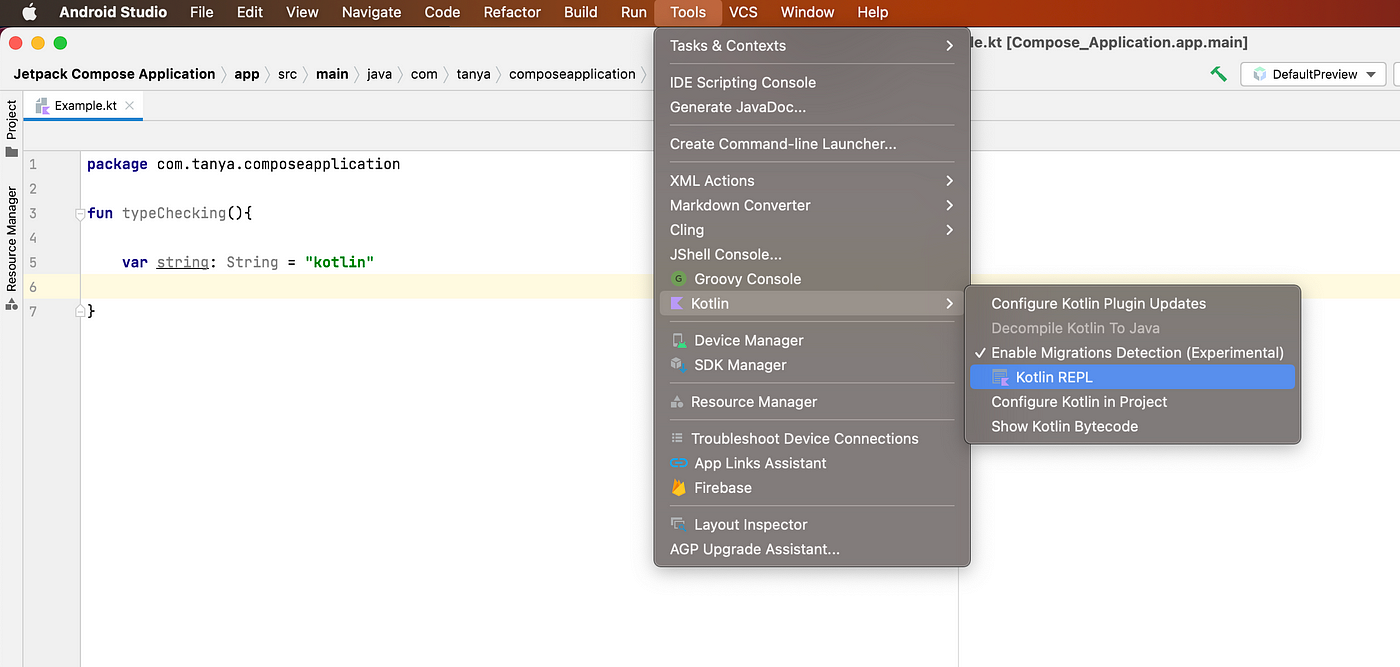
Just enter any piece of code and run it by clicking the green button on the REPL’s left side or by pressing Command+return(Ctrl+Enter).
That’s it for this article. Hope it was helpful! If you like it, please hit clap.
Other blogs of this series:

