
In this article, we will understand about function basics and different types of functions in Kotlin.
A function consists of a function header and a function body.
fun addIntegers(a: Int, b: Int): Int       // Function Header
{
  return a+b                               // Function Body
}
Function Header
Let’s understand what does a function header comprises of:
A function header is made up of five parts: the visibility modifier, function declaration keyword, function name, function parameters and return type.
Visibility modifier are keywords that set the accessibility of the function. If you do not specify a modifier for the function, the function is considered public.
Function name: Standard naming convention says it should start with a lowercase and uses “camelCase” naming with no underscores.
Function parameters: are always read only. They do not support reassignment within a function body. In other words, within the body of a function, a fun parameter is a val, instead of a var.
Function Scope: Local variables (variables defined within a fun) exists only in the function’s body. Same is true for the function parameters, they exists within the scope of the function body and cease to exist once the function completes.
File level variables remain initialized until program execution stops. They must always be assigned when they are defined, or code will not compile. A local variable has to be initialized only before it is used.
Function call: A line which triggers the function to perform whatever actions are defined in its body.
Terminology: A parameter is what a function requires and an argument is what the caller passes in to fulfill the requirement.
Default Arguments
Kotlin allows giving default arguments to your function. In other words, you can assign a default value for a parameter that will be assigned if no argument is specified.
fun multiply(baseValue: Int, multiplier: Int = 2): Int{
  return baseValue * multiplier
}

fun main(){
  multiply(3, 2)
// Output will be 6 (We don't need to pass multiplier value as 2 as it's default value is 2 only)

  multiply(3)
// Output will be 6 (This is a valid statement in Kotlin)

  multiply(3, 4)
// Output will be 12 (We should specify the value only if it's not same as the default value)
}
To achieve the above in Java, we will have to write multiple overloaded functions. Kotlin removes the need for that.
Single expression functions
In Kotlin, if your function returns one expression you can use an alternative syntax called function with expression body.
You can omit the return type, curly braces and return statement. Instead of using the function body to specify the work the function will perform, with single expression function syntax you use the assignment operator (=), followed by the expression.
fun multiply(baseValue: Int, multiplier: Int = 2) =
                                         baseValue * multiplier

fun getResult(language: String) = when(language){
  "Java" -> "Code is in Java language"
  "Kotlin" -> "Code is in Kotlin language"
  "Python" -> "Code is in Python language"
  "Scala" -> "Code is in Scala language"
  else -> "No language specified"
}
Unit Functions
Function which define no return type and have no return statement are called unit functions, meaning their return type is Unit. In other words, Kotlin uses the Unit return type to signify a function that returns no value.
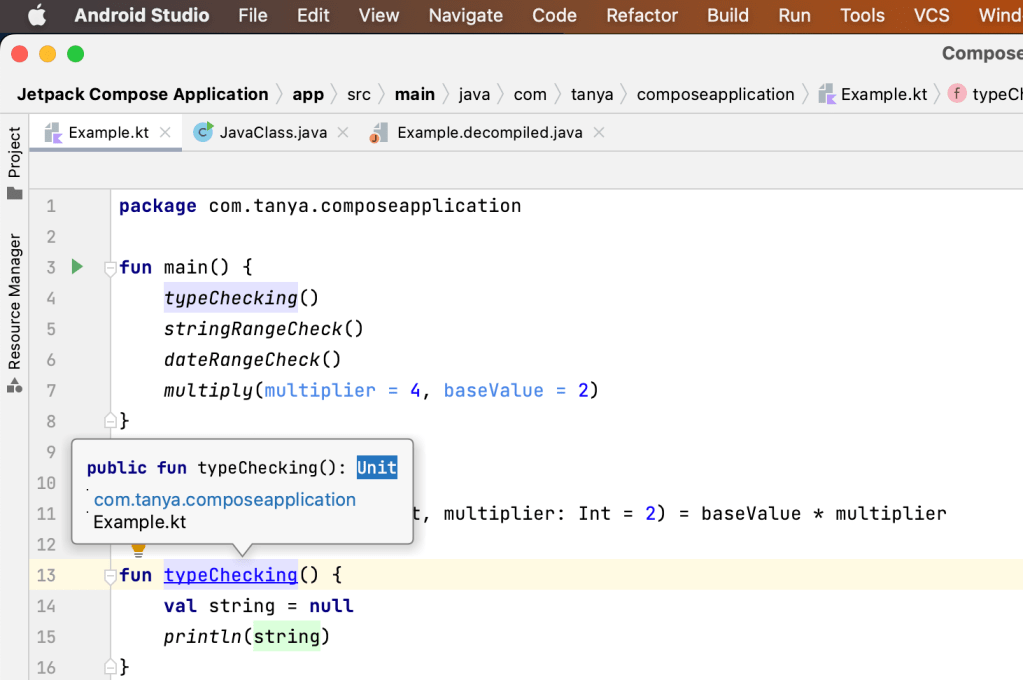
Prior to Kotlin, many languages faced the problem of describing a function that does not return anything. Some languages opted for a keyword void, which said, “There is no return type; skip it, because it does not apply.”
Unfortunately, this solution fails to account for an important feature found in modern languages: generics.
What do generics have to do with Unit and void?
Languages that use the void keyword have no good way to deal with a generic function that returns nothing. void is not a type — in fact, it says “Type information is not relevant, skip it”. And there is no way to describe this generically. so these languages miss out on being able to describe generic functions that return nothing.
Kotlin solves this problem by specifying Unit for the return type instead. Unit indicates a function that does not return anything, but at the same time it is compatible with generic functions that must have some type to work with. This is why Kotlin uses Unit. You get best of both worlds.
Named Function Arguments
This is an alternative way to provide arguments to a function. It frees you to pass the arguments to the function in whatever order you like.
fun multiply(baseValue: Int, multiplier: Int = 2) =
                                       baseValue * multiplier

fun main(){
  multiply(multiplier = 4, baseValue = 2)
}
Another benefit of named function arguments is that they can bring clarity to your code. When a function requires a large number of arguments, it can become confusing to keep track of which argument provides the value for which function parameter. This is especially true if the names of variables passed in do not match the names of the defined function parameters.
Note: Named function arguments are always named the same as the parameters they provide values for.
If you want to call named argument fun from Java you will have to specify all arguments else you can use @JvmOverloads annotation to the function, then you can specify some arguments.


Nothing Type
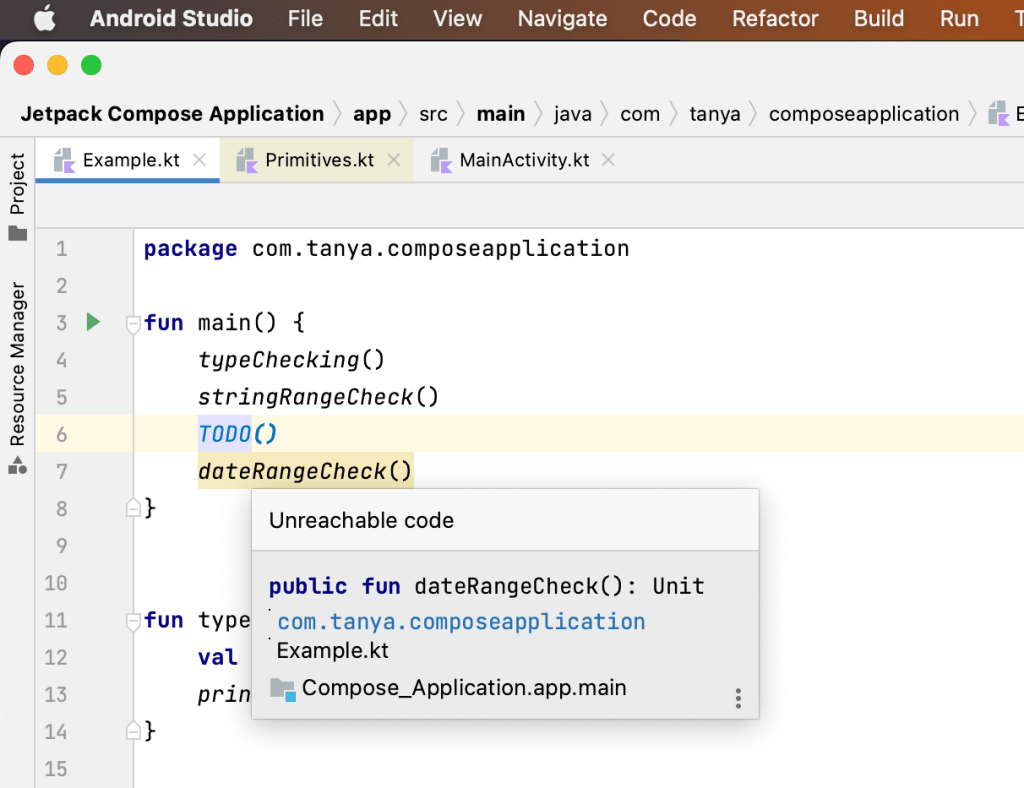
Nothing lets the compiler know that a function is guaranteed to never successfully complete; the function will either throw an exception or for some reason never return to where it was called. Eg is TODO() fun.

Another feature of Nothing that is useful in development is that if you add code below the TODO function, the compiler will show a warning indicating that the code is unreachable. Because of the Nothing type, the compiler can make this assertion: It is aware that TODO will not successfully complete; therefore, all code after TODO is unreachable.
File Level Functions
All of the functions that you have written so far have been defined at the file level in Example.kt. If you are Java developer, then this may seem surprising to you. In Java, functions and variables can only be defined within classes, a rule that Kotlin does not adhere to.
How is this possible if Kotlin code compiles to Java bytecode to run on the JVM? A look at the decompiled Java byte code for Example.kt should prove illuminating.
File level functions are represented in Java as static methods on a class with a name based on the file in which they are declared in Kotlin.
In Kotlin you can define functions anywhere. Top level functions, inside a class, and also functions inside a function.

Notice above, the class name in the decompiled version is ExampleKt instead of Example. This doesn’t look good if we want to use the class name somewhere.
So, if you want you can change the name of the class that contains all the file level functions. For that you can put the @JvmName annotation above the package name. Now you can call it’s functions as a member of the class which name you specified.


Function names in backticks
Kotlin includes a feature that might, at first glance, seem slightly peculiar: the ability to define or invoke a function named using spaces and other unusual characters, so long as they are surrounded using the backtick symbol (`)
fun `**this is not a good idea!~**`(){
  ....
}

fun main(){
   //You can invoke the function like this
  `**this is not a good idea!~**`()
}
But naming a function like this is never a good idea then why is this feature included?
Two main Reasons:
- To support Java interoperability
In Kotlin, “is” is a reserved keyword. However, in Java, “is” is a valid function name. Because of the backtick feature, you are able to invoke a Java “is” method from Kotlin. `is()`
2. To support more expressive names of functions that are used in a testing file.
fun `users should be signed out when they click logout`(){
}

//is more expressive and readable than this

fun usersShouldBeSignedOutWhenTheyClickLogout(){
}
Using backticks to provide an expressive name for a test function is the exception to the “lowercase first letter, followed by camel case” naming standard for functions.
That’s it for this article. Hope it was helpful! If you like it, please hit like.
Checkout the other articles of the Kotlin series:
 Tanya Tech Zone